Linewise Download
Project
Linewise
Subject
A notepad that calculates
For
Mac, iPad and iPhone
Date
16 Nov 2026

Write it down.
See the answer.

Type maths the way you think, in plain words, one line at a time. Linewise writes the answer beside every line, and keeps it up to date as you change things.

30 days free, then pay once. No subscription, no account, no tracking.

Answers
Total

Every answer on this page was worked out by Linewise itself. Click one to copy it.

# What it understands

Write the way you'd say it out loud. Linewise reads the sentence, works out the maths and keeps the units.

Plain words

Percentages, averages, ratios and rounding, written as sentences.

Every currency, live rates

160+ currencies and crypto. Rates refresh on their own and are kept for when you're offline. Pick ExchangeRate-API, the European Central Bank, Coinbase or Currency API.

Dates, times and time zones

Countdowns, workdays, durations and the time anywhere. The first three answers are live for you right now.

Units, kitchen included

Length, weight, volume, area, temperature, data, speed, fuel economy, power, energy, pressure and CSS pixels. It knows a cup of butter from a cup of flour.

Money and rates

Compound interest, loan repayments, hourly rates and salaries per month.

Names, totals and tags

Name a number and use it below. Refer back with prev, sum, avg or line 3. Tag lines with # and total them.

Yes-or-no checks

Compare across units, and let “if … then … else” pick the number.

Your own functions

Write a formula once and use it anywhere in the sheet. Units flow through it.

Exact to 38 digits

Decimal maths, not floating point, so 0.1 + 0.2 is 0.3 and big amounts keep every digit.

Your number format

Answers follow the format you choose in Preferences.

# The Linewise Guide

The guide that comes with the app, every example answered. Pick a topic.

# Inside the app

The parts around the maths: where sheets live, who can see them and how they move between your devices.
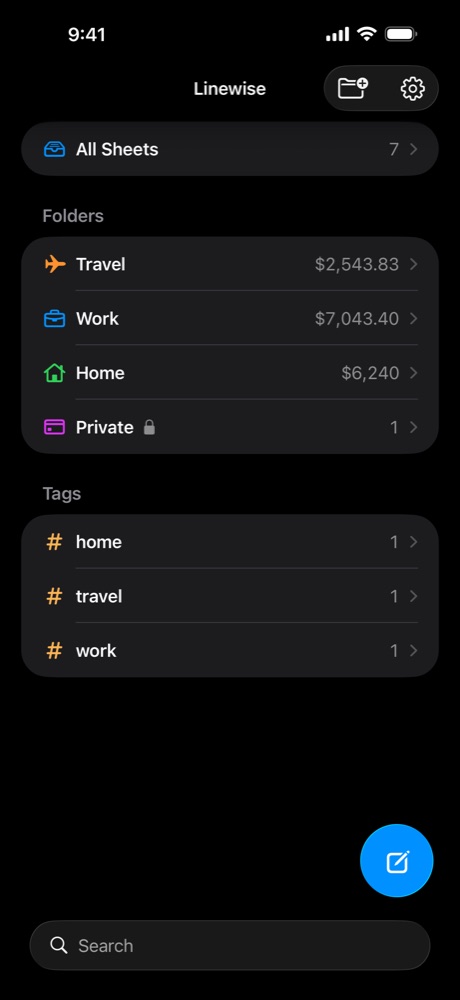
Linewise on iPhone in dark mode: All Sheets, the folders Travel, Work and Home with their totals, a locked Private folder, and the tags home, travel and work
Fig. 1 · iPhoneFolders show what they add up to. Private is locked, and every #tag has its own group.
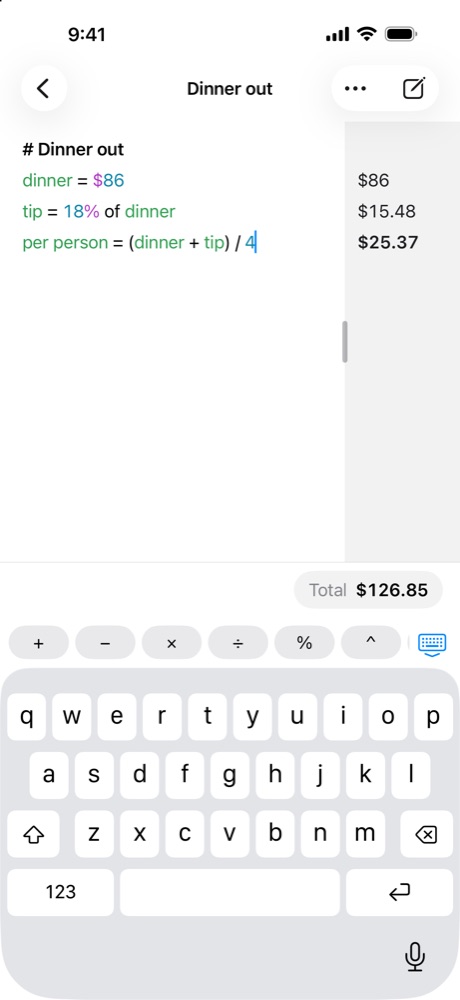
Linewise on iPhone in light mode, writing a dinner bill split four ways, with a row of maths keys above the keyboard
Fig. 2 · iPhoneMaths keys sit above the keyboard while you write.
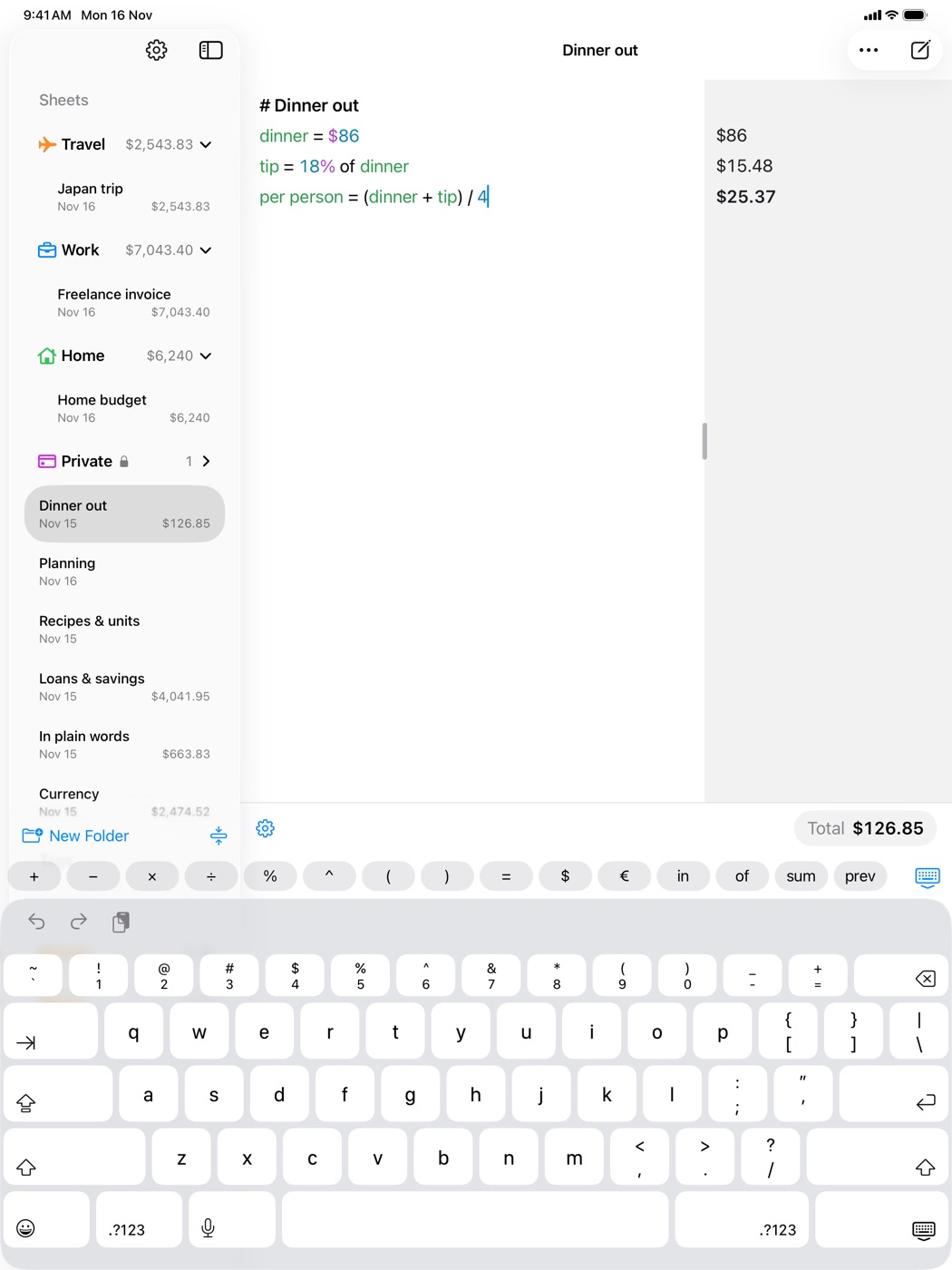
Linewise on iPad in light mode, with the sidebar of folders and tags and a key row that adds $, €, in, of, sum and prev
Fig. 3 · iPadOn iPad the key row adds $, €, in, of, sum and prev, beside the sidebar.
Sync between Mac, iPad and iPhoneOn from the start. Edit on one and the others are already up to date.
iCloud
Lock a sheet or folderEach lock asks on its own. An orange open padlock shows what's unlocked for now.
Face ID, Touch ID or passcode
Lock againWhen you leave it, after time unused, or only when Linewise closes.
1, 5, 15 or 60 min
Deleted sheets wait in the BinOpening the Bin asks for Face ID too.
30 days
Folders inside foldersEach shows what everything inside adds up to.
any depth
Every #tag becomes a groupFind every #travel line across all your sheets.
automatic
Copy an answer
one click
Carry on from the answer aboveStart a new line with + or × and it becomes “prev +”.
type +
Menu bar calculator and global shortcutOn a Mac, with always-on-top if you like.
Mac
Complete units, currencies and your names
Esc on a Mac
Maths keys above the keyboard
iPhone, iPad
Shortcuts and Siri
“Calculate with Linewise”
Export a sheetAs text, with each answer lined up beside its line.
with answers
LanguagesEnglish, German, French, Spanish, Japanese, Simplified Chinese, Brazilian Portuguese.
7

# Six themes, light and dark

Colour only where it means something: numbers, units and the names you give. This window uses the app's own colours.

Weekend away
Total

# One purchase, every screen

Linewise is one app for Mac, iPad and iPhone. Buy it once and it's yours on all of them. The trial and Family Sharing work the same way.
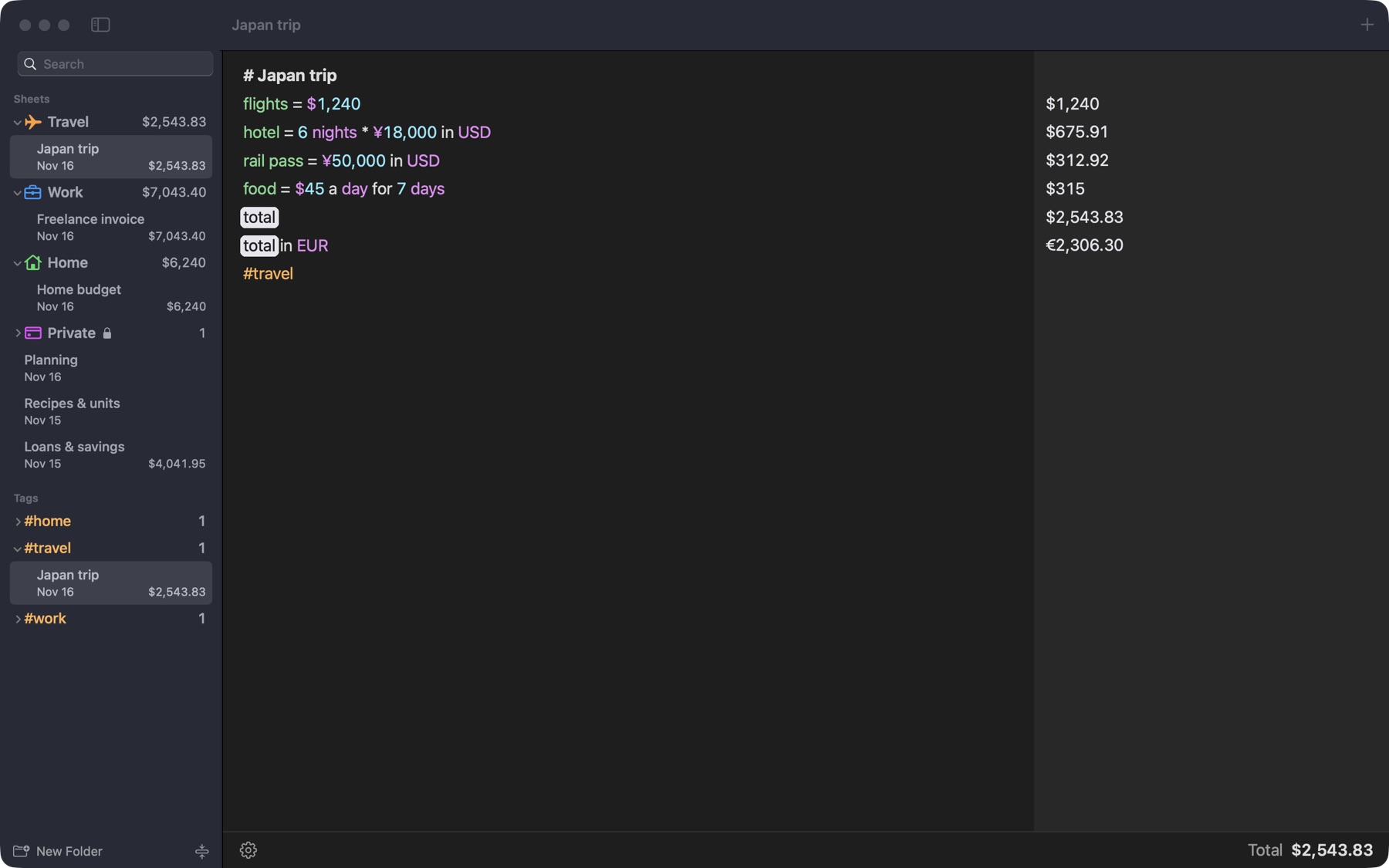
Linewise on a Mac in dark mode, with folders in the sidebar and a trip budget open
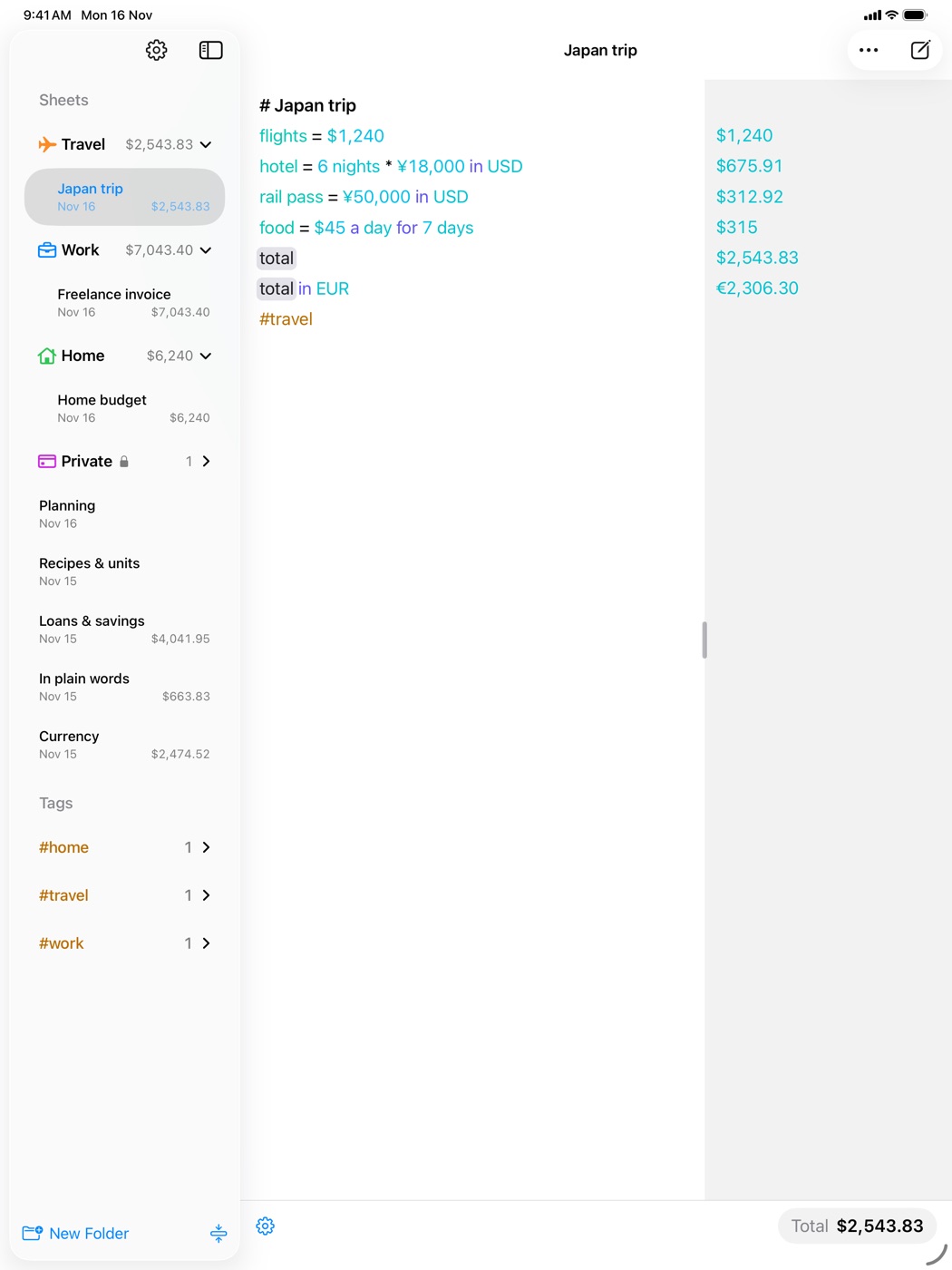
Linewise on iPad with the Ocean theme
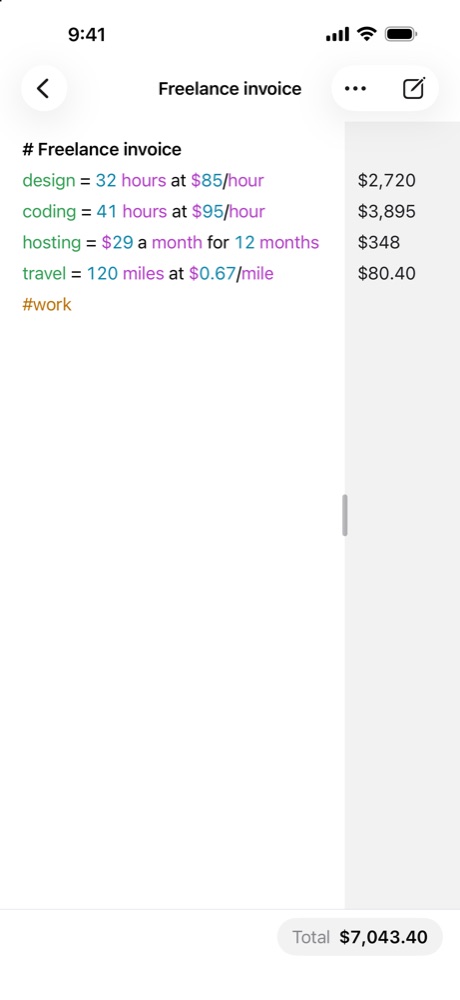
Linewise on iPhone in light mode, showing a freelance invoice
Mac
macOS 15 or later
iPhone and iPad
iOS 18 or later

# Privacy

Your sheets live on your devices and in your own iCloud. The only thing Linewise downloads is public exchange rates, and it sends nothing about you to get them.

Data collectedThe App Store label reads “Data Not Collected”.
none
Account to sign up for
none
Ads, analytics or trackers
none
Works offlineThe maths runs on your device, and rates are kept for the plane.
yes

# Pricing

Try everything for 30 days. Then pay once and keep it. If you decide later, your sheets wait for you.

30-day trialEvery feature, on every device. Start it in the app; no payment needed.
$0
LinewiseFor you, on your Mac, iPad and iPhone.
$19.99 once
Linewise FamilyFor you and up to five family members, through Family Sharing.
$39.99 once
Subscription
none
Download and start the trial Prices in US dollars. The App Store shows yours in your own currency.

# Questions

Is it a subscription?

No. After the 30-day trial you pay once, $19.99 for you or $39.99 for your family, and Linewise is yours.

What happens when the trial ends?

Linewise asks you to buy it before you carry on. Your sheets are kept exactly as they were, and they're all there the moment you buy.

Does one purchase cover my Mac, iPad and iPhone?

Yes. Linewise is one app with Universal Purchase, so buying it, or starting the trial, on one device covers the others signed in to the same Apple Account.

Where do exchange rates come from?

From the source you choose in Preferences: ExchangeRate-API, the European Central Bank, Coinbase (which adds crypto) or Currency API. Rates refresh on their own and are kept for when you're offline.

How do locked sheets work?

Lock any sheet or folder and it stays hidden until you unlock it with Face ID, Touch ID or your passcode. Adding or removing a lock, opening the Bin and deleting anything locked all ask first.

What if Linewise doesn't understand a line?

It leaves it alone as a note. Words it doesn't need are ignored, so you can write freely around your numbers.

Which languages does it speak?

The app is in English, German, French, Spanish, Japanese, Simplified Chinese and Brazilian Portuguese. You type maths in English words anywhere.
Your numbers,
in your words.

Download on the App Store Free for 30 days on Mac, iPad and iPhone.